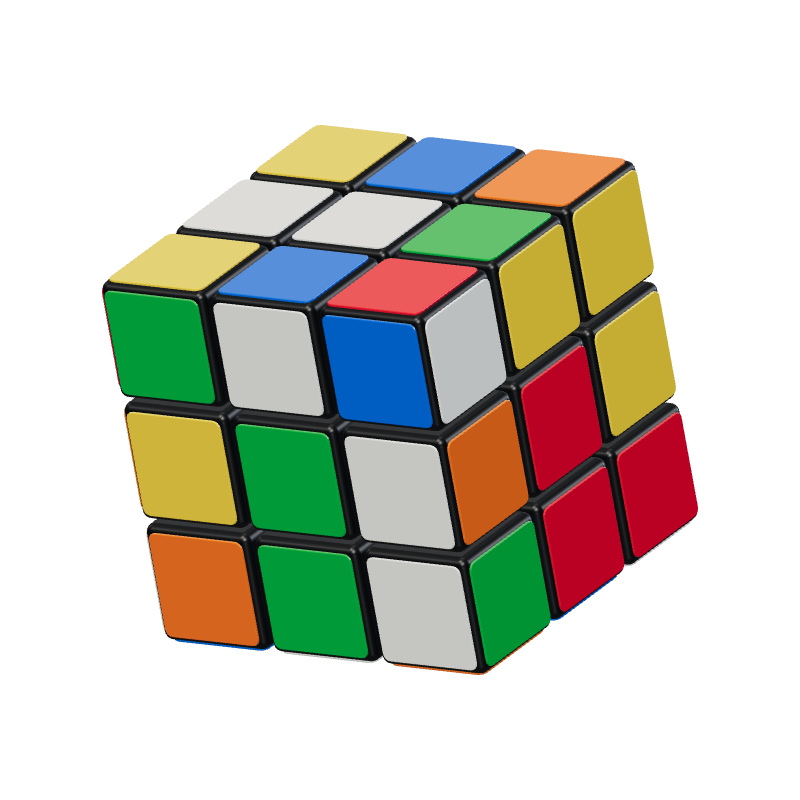


Learn to solve a Rubik's Cube with 3D guidance
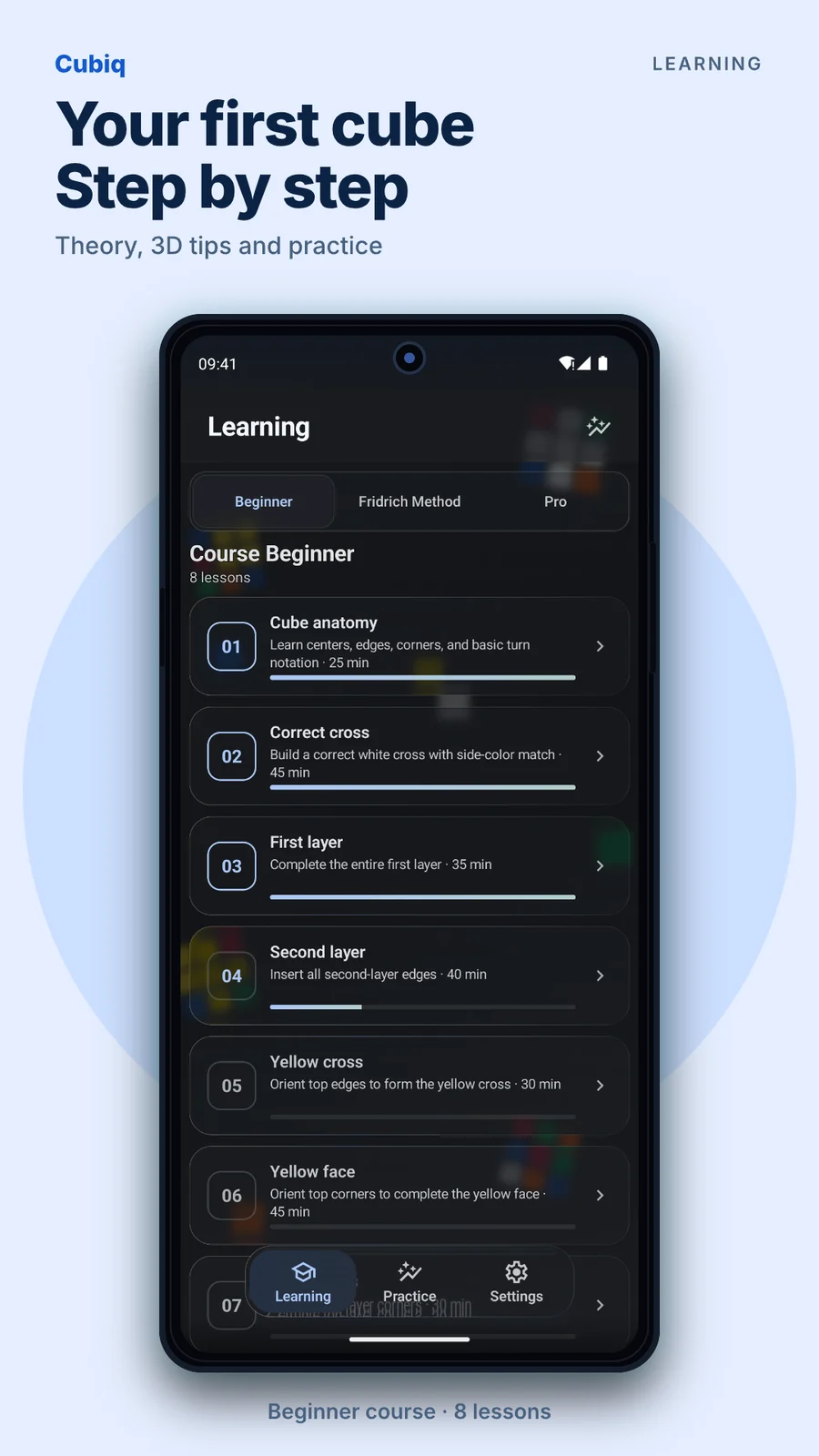
Want to learn how to solve a 3×3 Rubik's Cube? Cubiq for Android explains each stage and shows the moves in 3D so you can follow along on your own cube. Start with beginner lessons, then practise algorithms and time your solves. Download the app on Google Play or RuStore.
Cubiq supports 42 languages and adapts to phones and tablets.
How do I start learning to solve a Rubik's Cube?
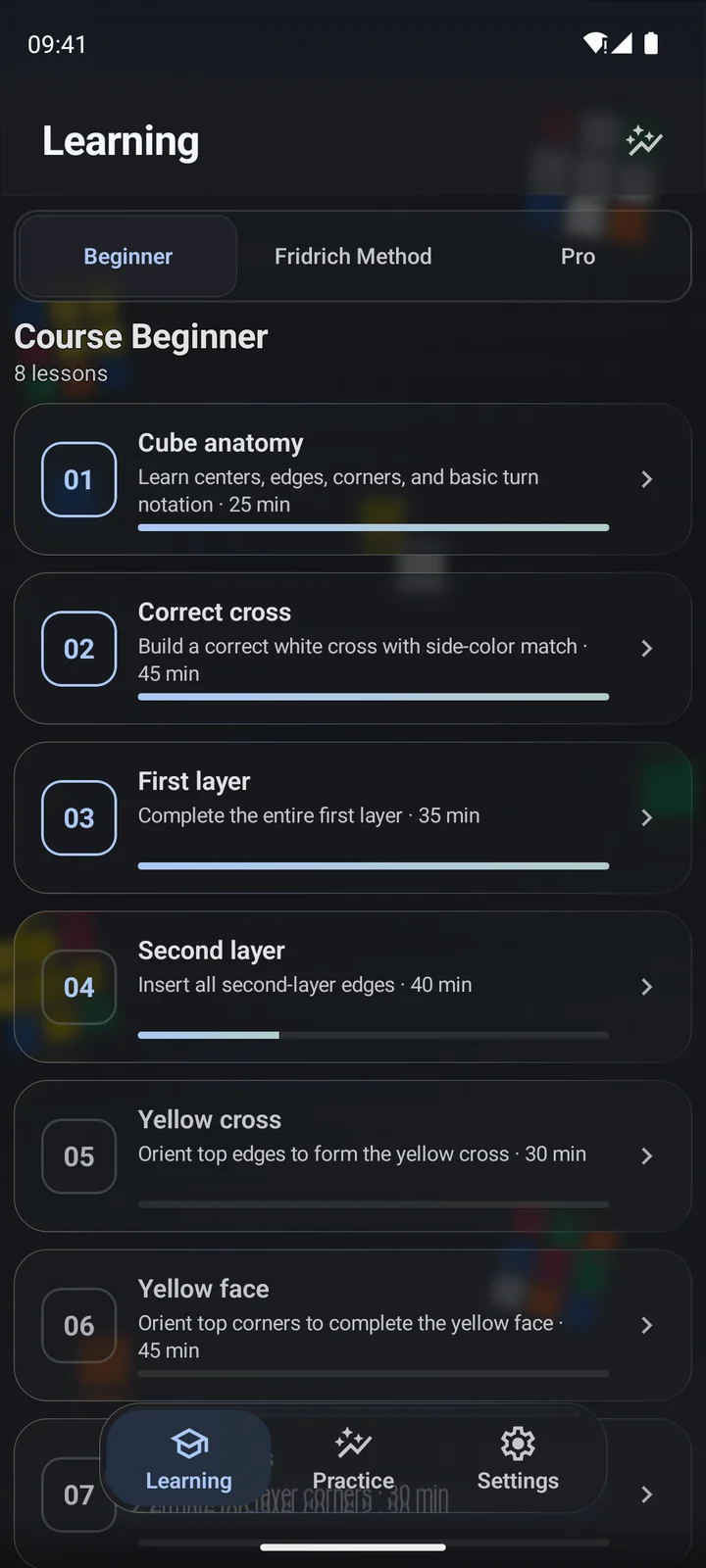
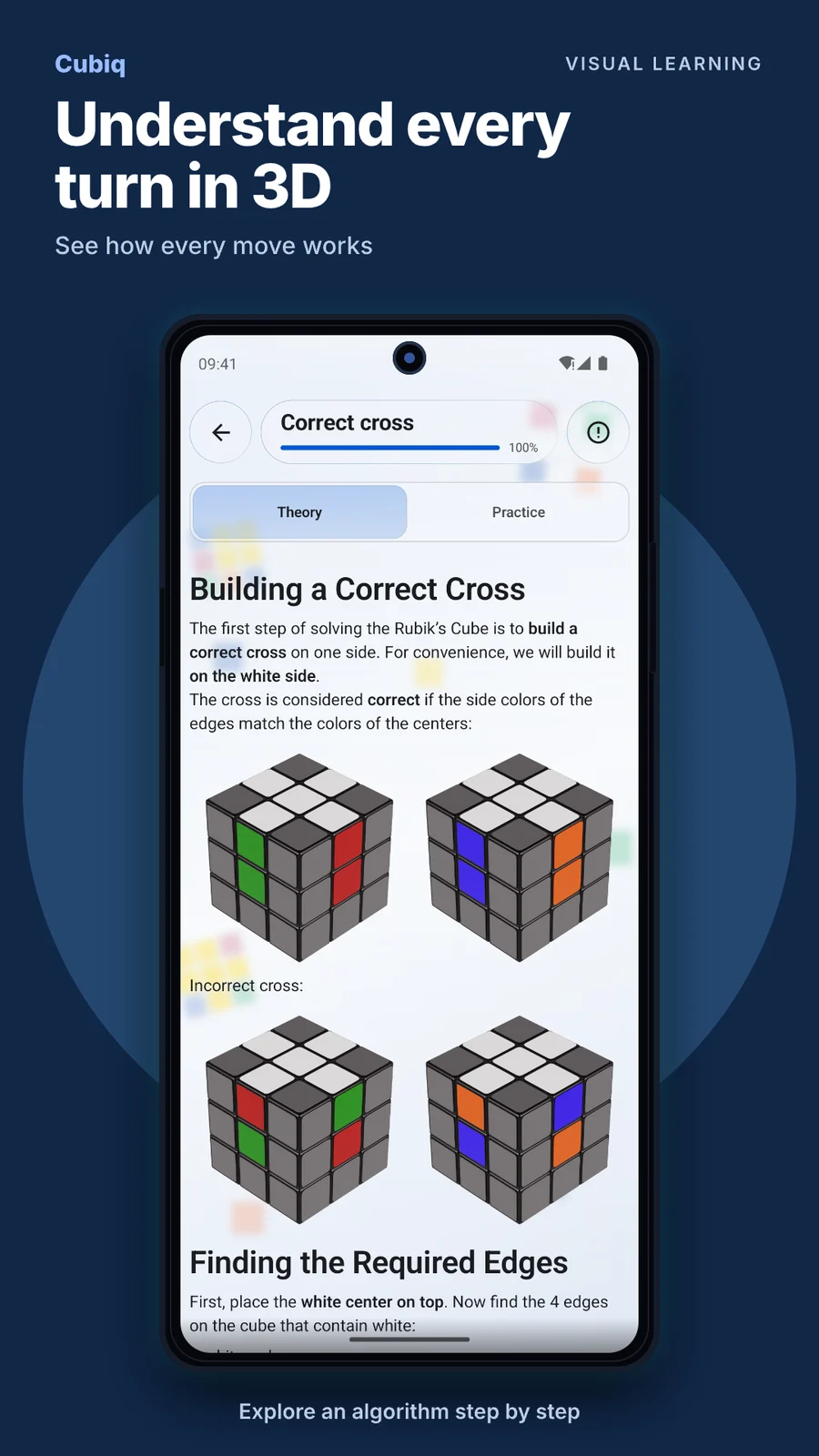
Start with the beginner course in Cubiq: eight lessons take you through the method, with interactive 3D practice for seven solving stages. Read the explanation, watch the turns and repeat them on your cube. The app has three courses and 17 learning resources, including bonus lessons.
- courses
- 3
- learning materials
- 17
- hands-on stages
- 7
How do I practise with my own cube?
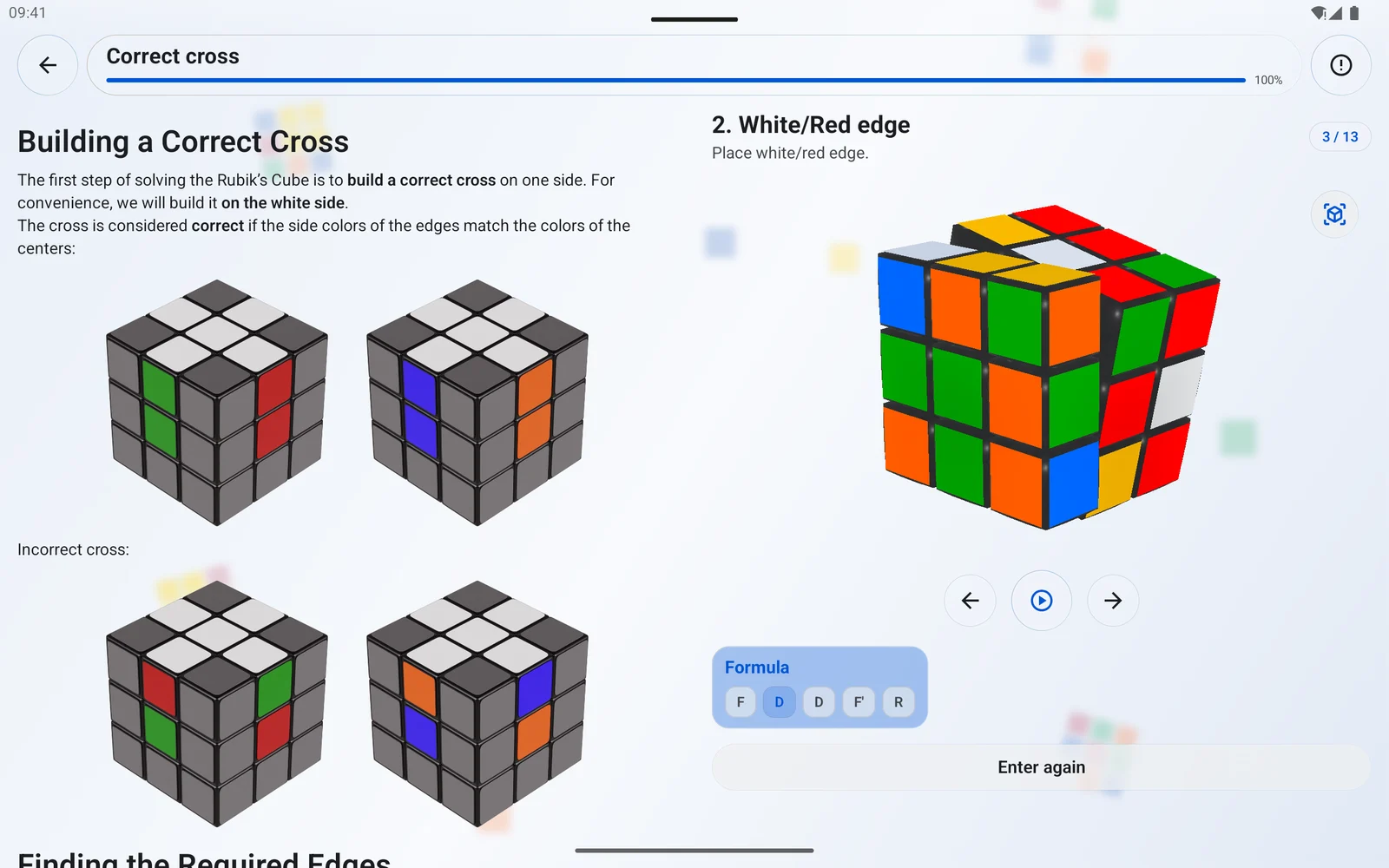
The seven hands-on stages of the beginner course let you enter the colours of a 3×3 cube while preserving the parts already solved. Cubiq validates the state and helps solve the current stage using its teaching algorithms. Rotate the 3D model, play and pause the animation, step through the solution, and undo a move. The Fridrich and Pro lessons provide theory, diagrams, and algorithms.
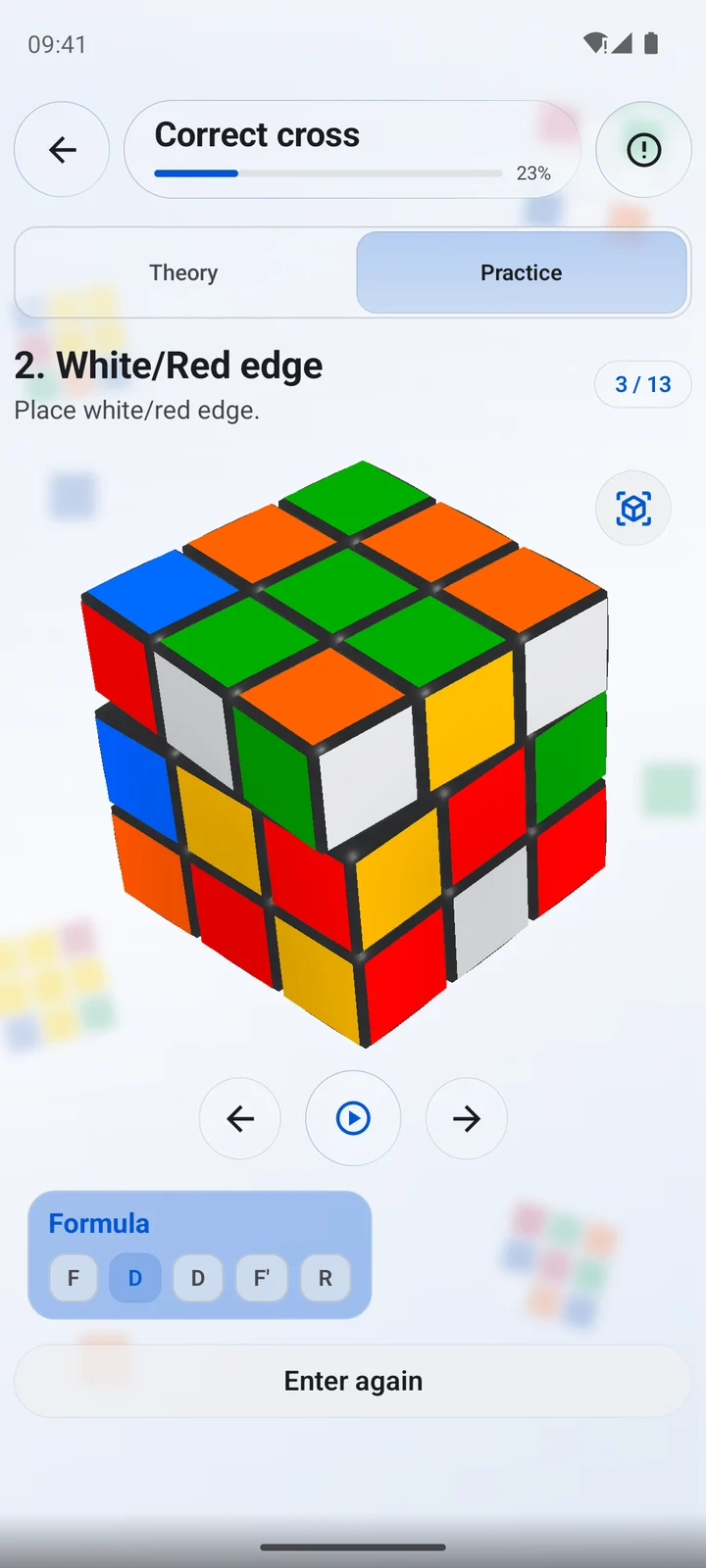
From your first solve to advanced methods
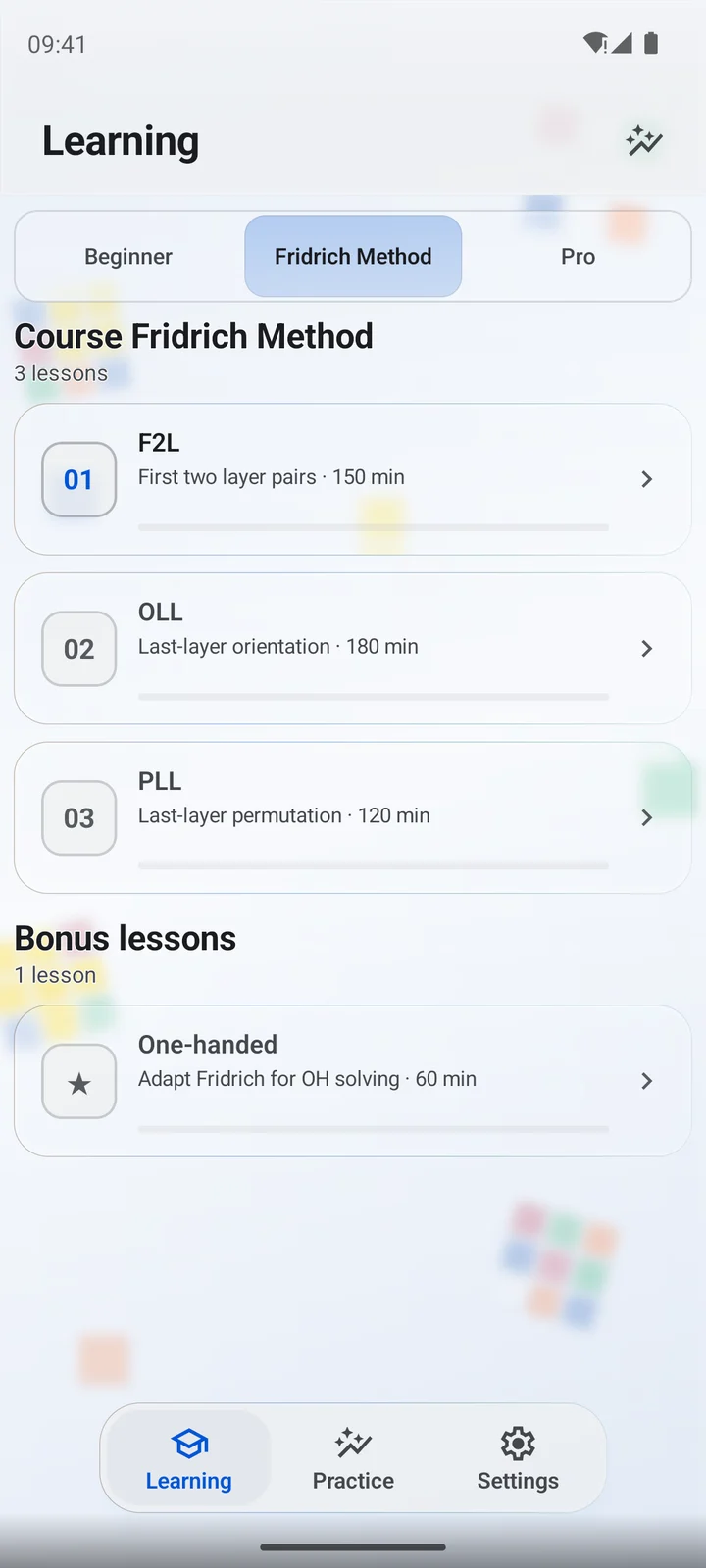
The Fridrich Method course covers F2L, OLL and PLL. The Professional course explores advanced F2L, VHF2L/VHLS, Winter Variation and COLL. Additional materials cover one-handed solving and OPF2L/OPLS. Theory includes diagrams, explanations, primary algorithms and alternatives.
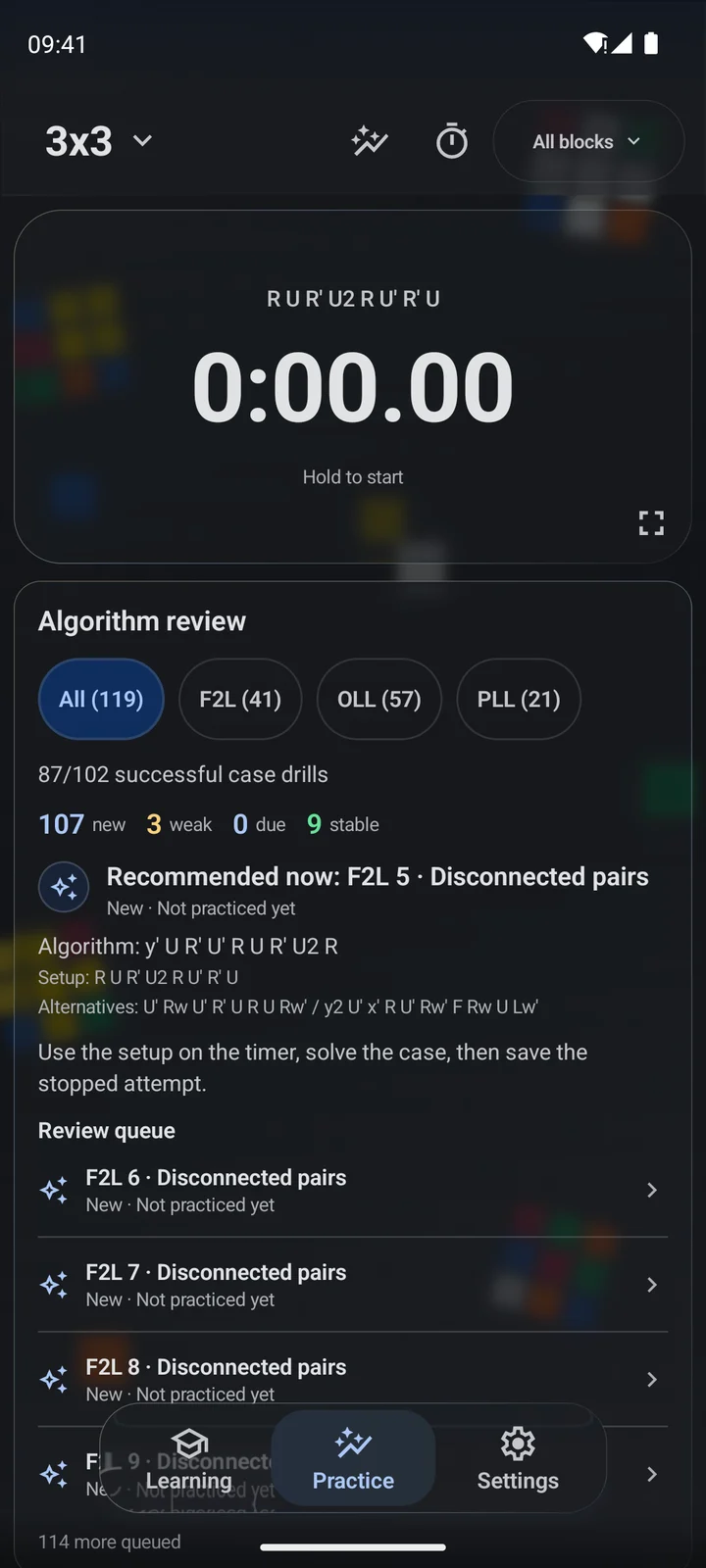
How can I solve faster with CFOP?
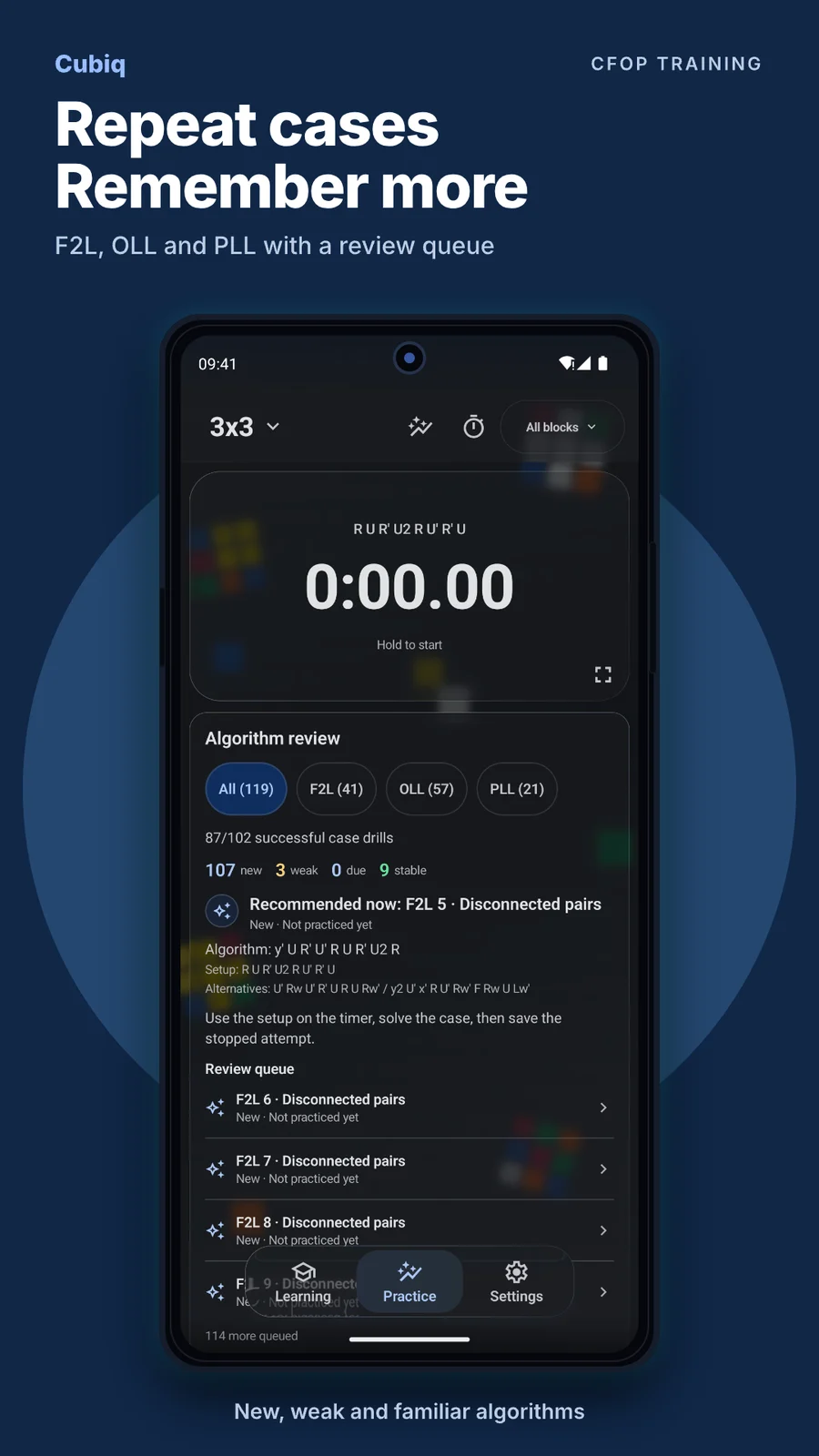
Practise F2L, OLL and PLL in Cubiq's CFOP trainer. Explore 119 cases: 41 F2L, 57 OLL and 21 PLL. Choose a case, study its algorithm and alternatives, then save your attempts and return to review.
Review algorithms by progress
Study the main algorithm and its alternatives, choose an F2L, OLL, or PLL case, and repeat attempts. The review queue automatically prioritises new, difficult, and overdue cases.
Practise a specific skill
Focused exercises cover a solve stage, a method, or a discipline. Some tasks have no timer: work on technique before speed. Practice cross and X-cross, Roux blocks and ZZ edge orientation; Ortega, CLL and EG for 2×2; and centers and edge pairing on big cubes. Work on stages of Megaminx, Pyraminx, Clock, Skewb and Square-1, one-handed solving, memorization and commutators for blindfolded solving, and FMC with NISS, skeletons and insertions.
Mark your CFOP phases
Manually mark the boundaries between Inspection, Cross, F2L, OLL, and PLL. After an attempt, compare phase times to decide which stage to practise separately.
FMC, BLD, and multi-BLD
In FMC, work with starts, NISS, a skeleton, and insertions; the final algorithm is checked against the scramble. In BLD, mark the end of memorisation to separate memo and execution. In multi-BLD, set your attempted cube count, record how many you solved, and review your score.
How do I time my Rubik's Cube solves?
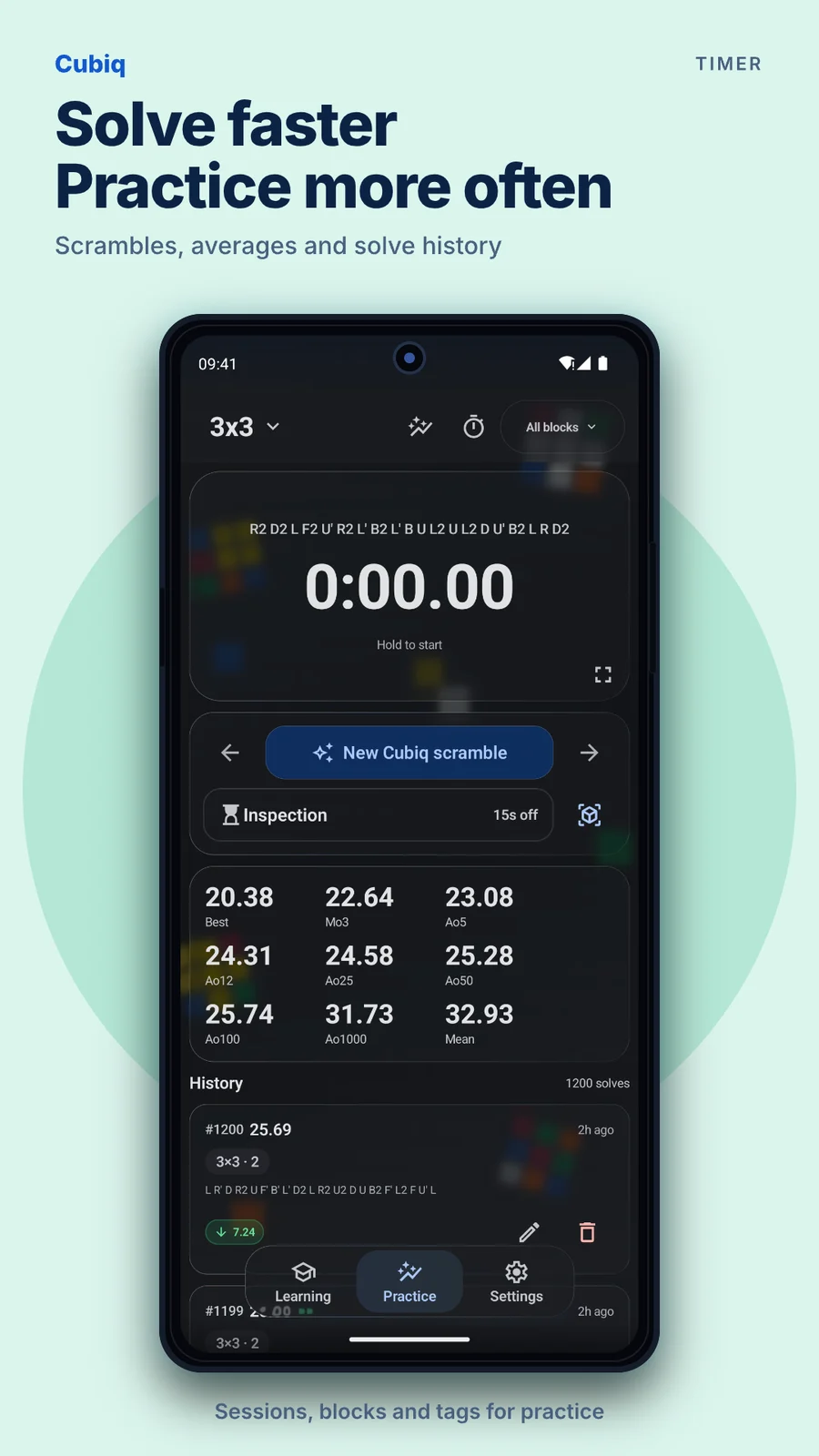
Use Cubiq's speedcubing timer to practise 17 disciplines with scrambles, pre-solve inspection and +2 or DNF penalties. Save your solves, compare averages and follow your progress in the history and charts. You can also enter results manually and add notes and tags.
Set up your timer
Adjust sound and vibration, hide the running time, or use focus mode. Choose on-screen metrics and how results are compared. History and timer display adapt to the current discipline and profile.
Scrambles and queues
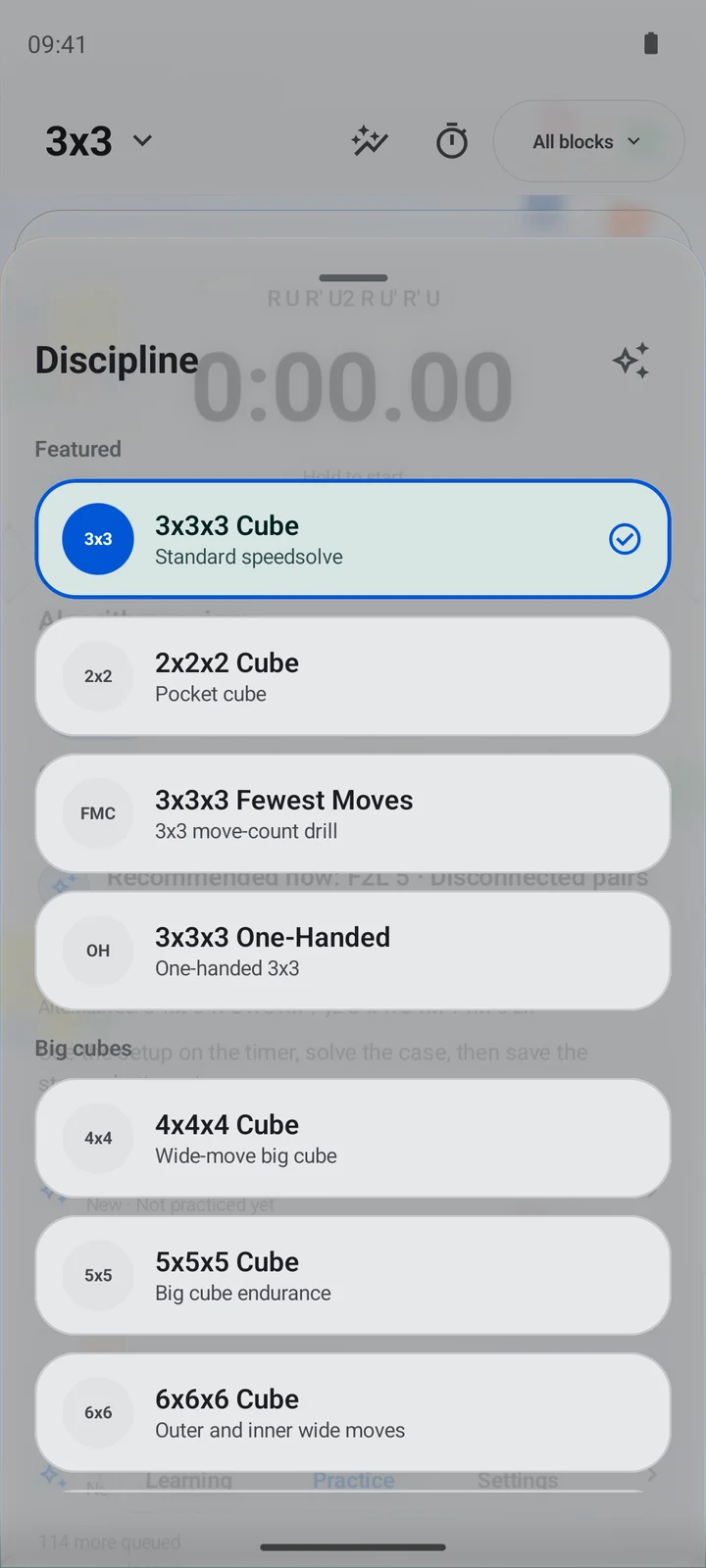
Generate scrambles for your chosen discipline, view a 3D preview for 3×3 and flat diagrams for other puzzles. Import your own scramble queue or TNoodle rounds. FMC, BLD, and multi-BLD have dedicated practice flows.
17 practice disciplines
2×2, 3×3, 4×4, 5×5, 6×6 and 7×7 cubes; one-handed and fewest-moves 3×3; blindfolded 3×3, 4×4 and 5×5; 3×3 multi-blind; Megaminx, Pyraminx, Clock, Skewb and Square-1.
External timers
Connect external timers: StackMat/Speed Stacks, MoYu and QiYi through audio input, or GAN Smart Timer through Bluetooth. Connecting requires a compatible timer and the necessary Android permissions. Audio and Bluetooth are alternative ways to enter a result; neither is required to use the app.
Mock competition round
Work through a practice round one attempt at a time. To start, import a current TNoodle-WCA JSON file with rounds; a plain TXT scramble list is not enough. This is local practice, not entry into an official competition.
 0:00.00
Timer preview
Statistics and progress
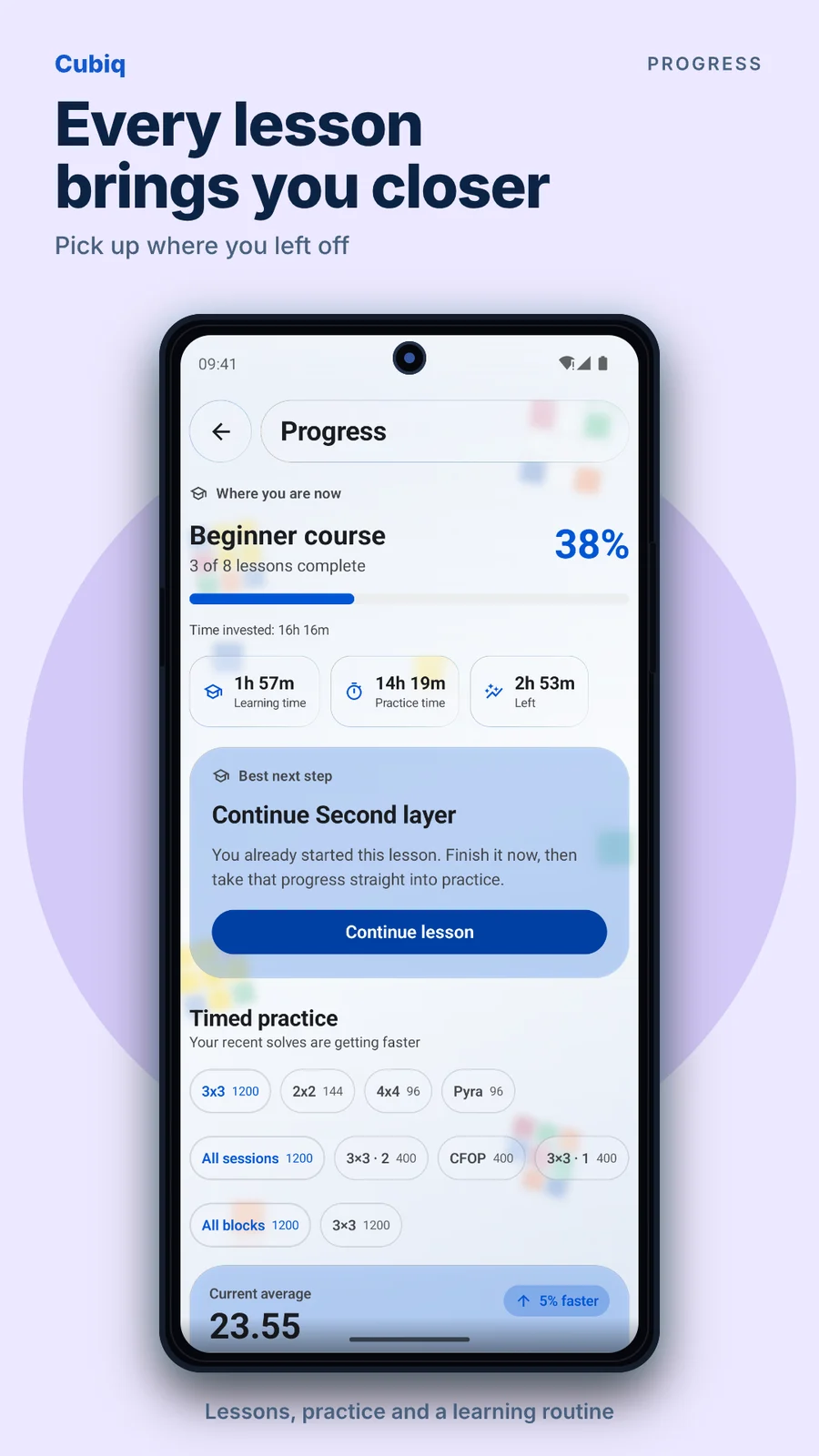
Track your learning and solves: time history, averages, and completed lessons. The algorithm trainer keeps separate progress for each case.
From one solve to a long series
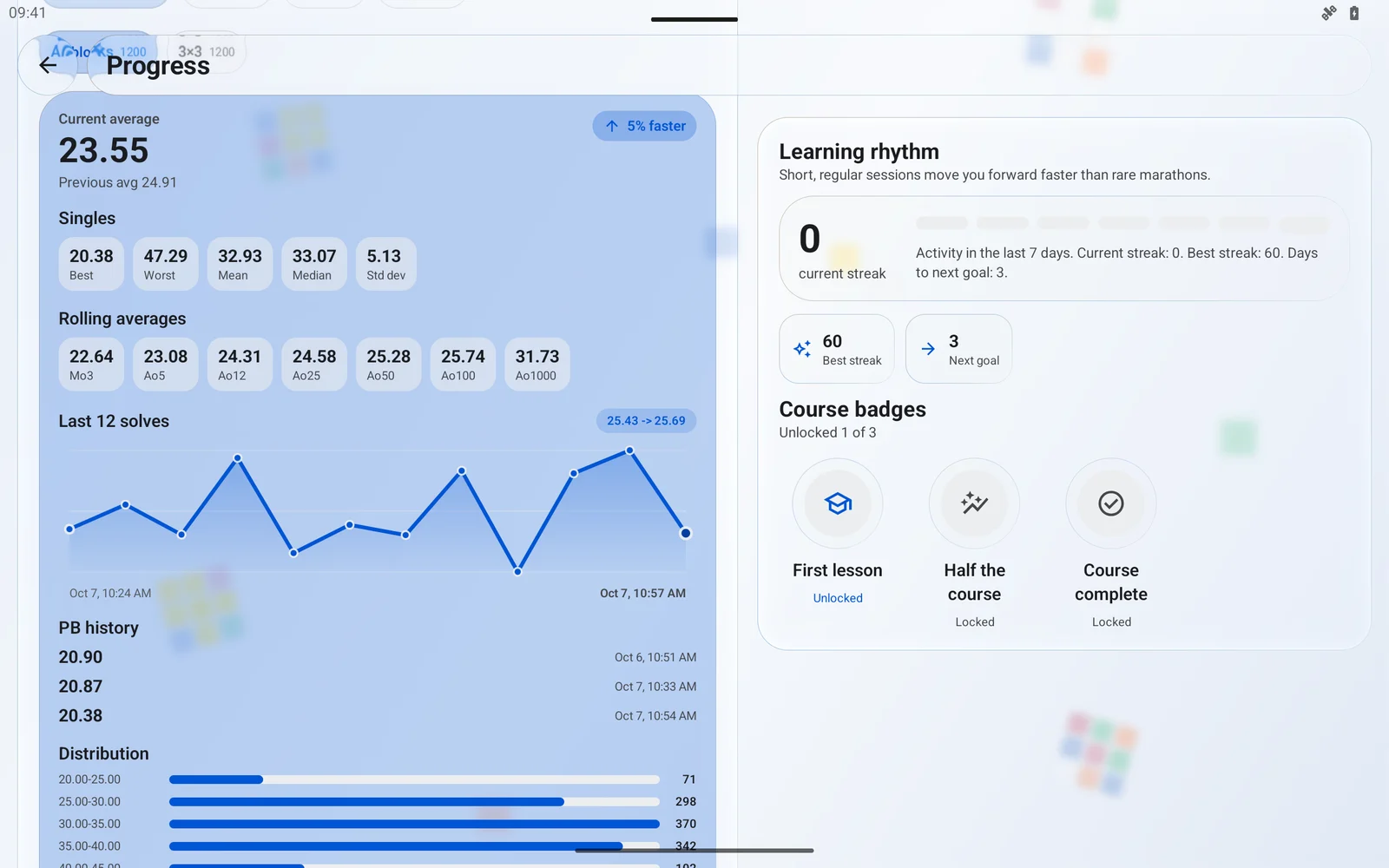
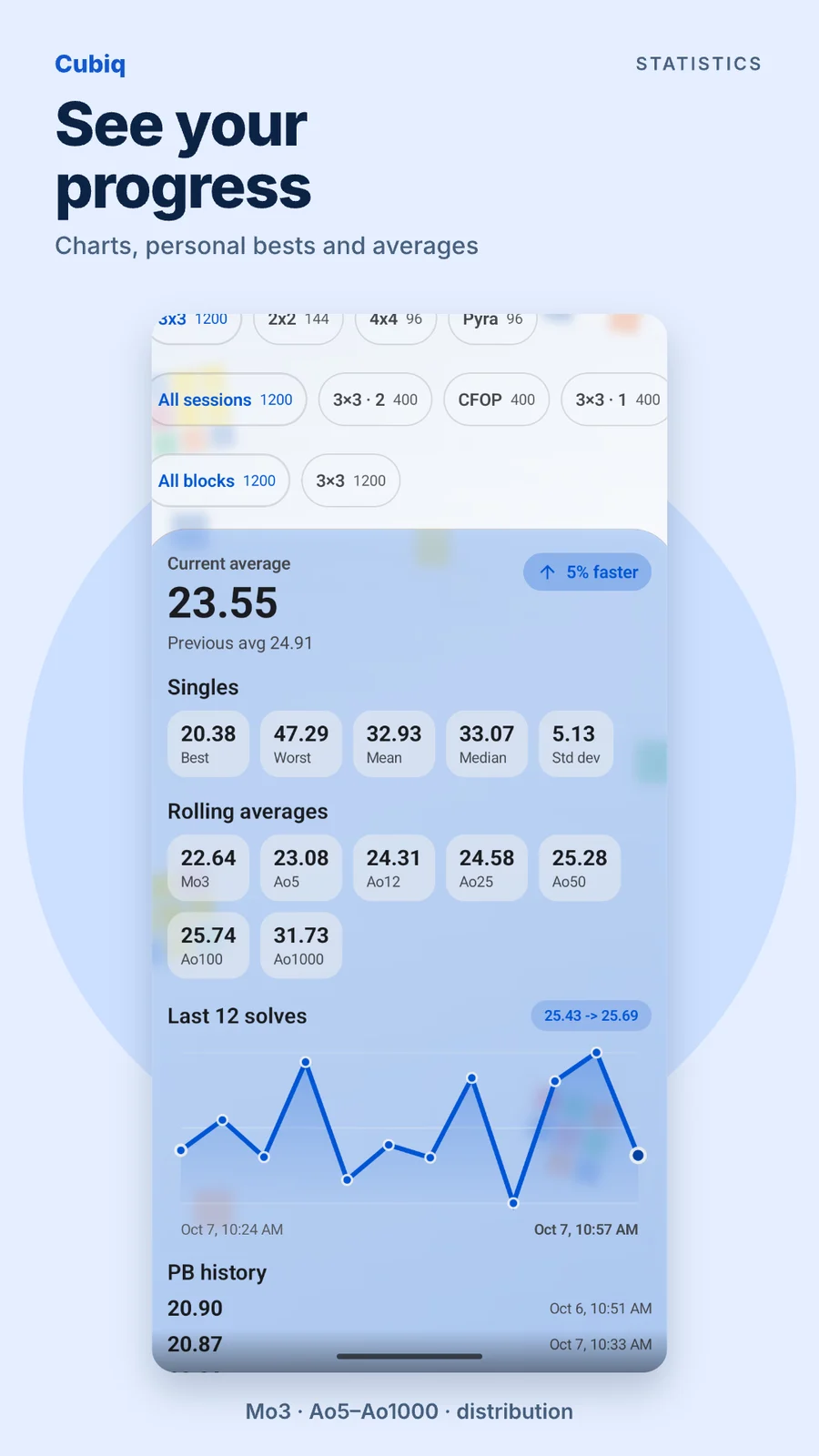
Your best result, Mo3, Ao5, Ao12, Ao25, Ao50, Ao100, Ao1000, and session mean cover different stretches of practice. Charts and history show how your results have changed.
Keep every attempt in context
Create named training blocks to organise your history by task. Add results manually, edit times and dates, and apply +2 or DNF. Notes and tags keep the context of each attempt; unwanted entries can be deleted.
Metrics in context
Best and worst times, mean, median, standard deviation, rolling metrics, personal bests, trends, and distribution complement your solve history. FMC uses move counts; BLD tracks memo, execution, and success; multi-BLD uses score and solved cube count. Time averages appear once enough eligible results are available.
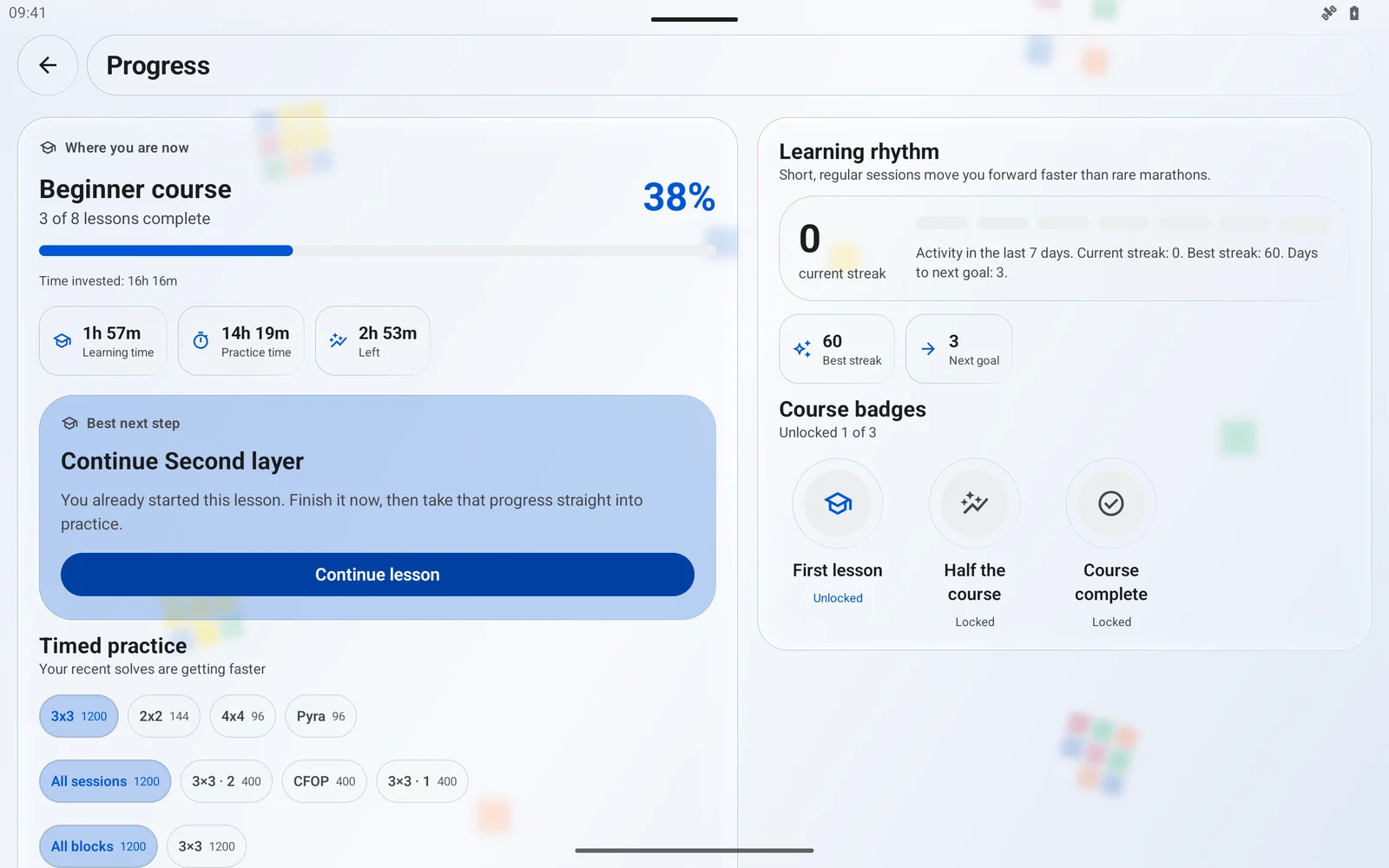
Pick up where you left off
Return to lessons using your saved progress. In the algorithm trainer, each case shows attempts, success rate, best result, and last practice date.
Make it yours
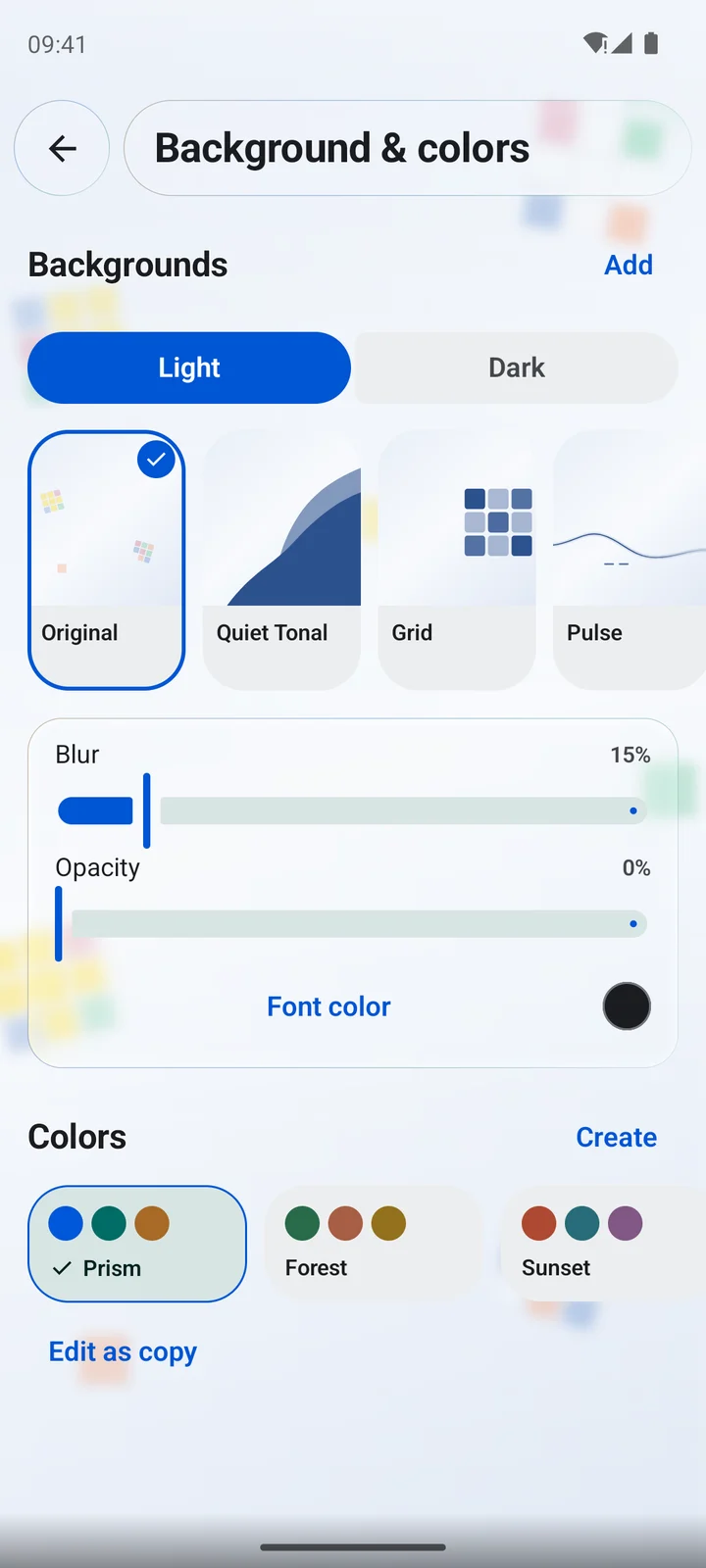
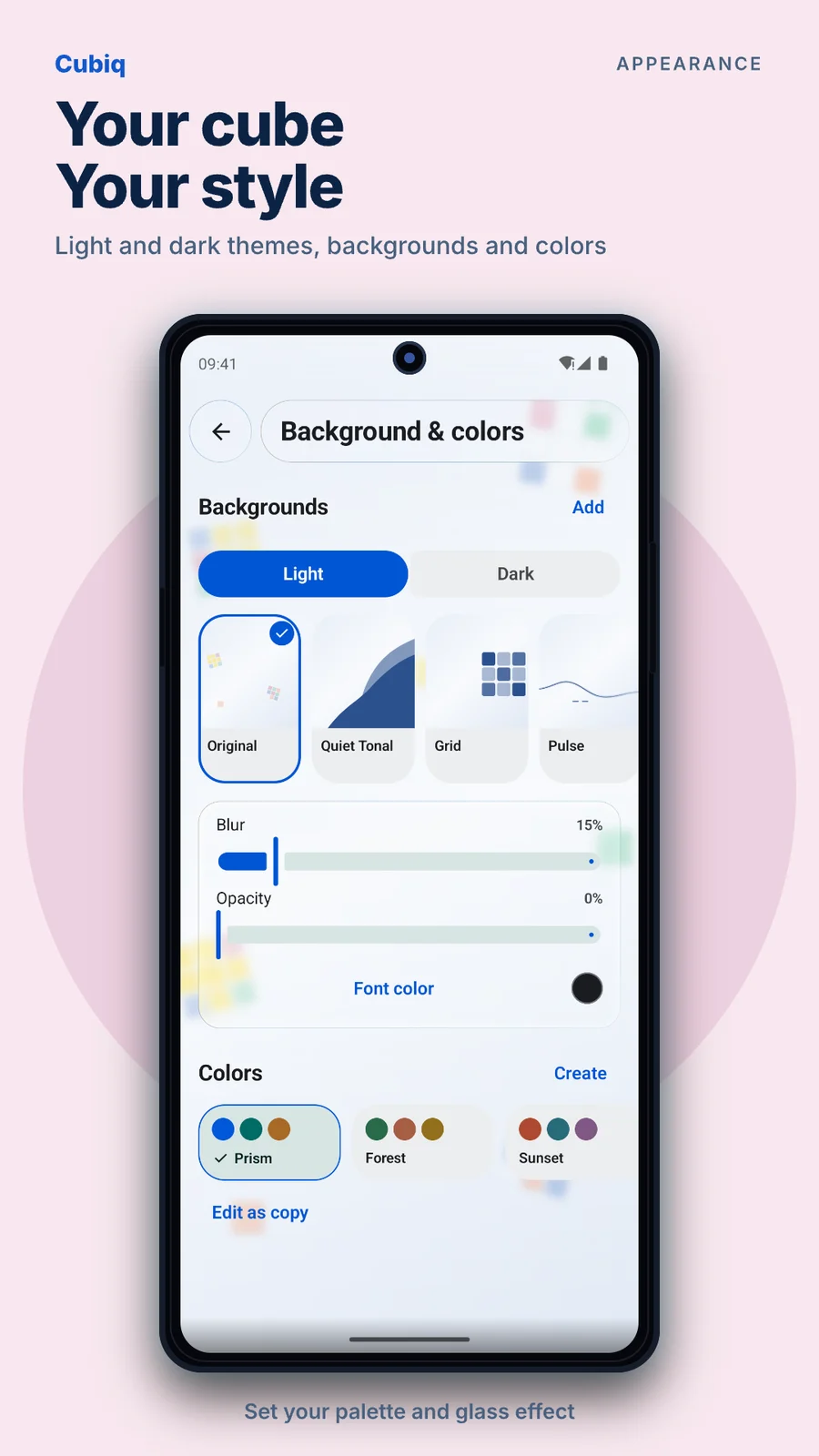
Create custom palettes with seven interface colors set separately for light and dark themes. Use a preset as a starting point and save your own copy. Add background images, either one for both themes or a different image for each. Adjust background blur, opacity, text color and the strength of the Liquid Glass effect.
Animation and transparency
Adjust animation speed from 0.5× to 1.5×, transparency, and glass intensity. Full background blur depends on your Android version and device capabilities; a simpler transparency effect is used when blur is restricted.
Phone and tablet
On a phone, switch between theory and practice. A wide tablet screen places them side by side: read an explanation and try the move on the 3D cube. The layout responds to the available window width.
4242 languages for the interface and learning materials, including right-to-left scripts. On supported Android versions, choose the app language in system settings.
DataKeep your results with you
Save your history to files, bring results from another timer, and share them. Preview which records will be added or updated before importing.
Formats and data transfer
JSON, CSV, and compatible csTimer results are supported. Cubiq JSON exports include results and lesson progress. Import restores solve results; lesson progress from the file is currently not transferred. A saved file can serve as a copy of your results history.
Implementation
Inside Cubiq
Native Android with Kotlin and Jetpack Compose: a custom 3D engine, a lesson-aware solver, and an adaptive interface.
- app modules
- 39
- locale variants
- 42
Your next step: your first solve
Cubiq for Android is available on Google Play and RuStore. Choose a store, install the app, and start a lesson or a practice session.
Scan with your phone’s camera to open the store.
Support and feedback
Have a question or an idea? Write to KoynApps.
koynapps.support@gmail.com